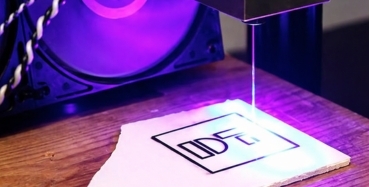
Ink smudging is one of the most common and frustrating problems in the printing industry. Laser printing machine offers effective solutions to overcome these challenges.industrial components, smudged prints can ruin quality, increase waste, and impact brand reputation. Fortunately, a laser printing machine offers effective solutions to overcome these challenges.
1. Understanding Ink Smudging Problems
Ink smudging typically occurs when the printed ink does not dry properly or becomes disturbed before it has fully set. Several factors, such as poor ink quality, incompatible surfaces, high humidity, or improper printing techniques, can cause this. In traditional printing methods like pad or inkjet printing, liquid ink sits on the surface and requires time to dry, making it prone to smearing.
2. Common Causes of Smudging and Laser-Based Solutions
2.1 Surface Compatibility Issues:
Some materials, especially plastics or coated surfaces, do not absorb ink well. Laser printing eliminates this issue by bonding toner directly onto the surface.
2.2 Environmental Factors
Humidity and temperature can delay drying in traditional printing. Laser printing uses heat, making it far less sensitive to environmental changes.
2.3 Poor Ink Quality
Low-quality inks often lead to uneven drying. Toner cartridges used in laser printers provide consistent, reliable results.
2.4 Handling Errors
Smudging often occurs when prints are touched too soon. Since laser prints are instantly dry, they can be handled immediately without damage.
3. How to Solve Ink Smudging Issues
While laser printing is a strong solution, combining it with the right practices ensures completely smudge-free results:
3.1 Switch to Laser Printing Technology
The most effective solution is replacing liquid-ink systems with laser printers. The heat-fused toner removes the need for drying time entirely.
3.2 Choose the Right Material
Ensure that the substrate (paper, plastic, metal, etc.) is compatible with laser printing. Using the wrong material can still affect adhesion.
3.3 Optimize Printer Settings
Adjust temperature, speed, and resolution settings based on the material being printed. Proper calibration improves toner bonding.
3.4 Use High-Quality Toner
Always use reliable, high-grade toner cartridges. Poor-quality toner can still cause fading or weak adhesion.
3.5 Maintain Your Equipment
Regular cleaning of rollers, fuser units, and internal components ensures consistent performance and prevents print defects.
3.6 Control the Environment
Even though laser printing is less sensitive, maintaining a clean, dust-free, and moderate environment helps improve overall print quality.
3.7 Test Before Mass Production
Always run sample prints before large production runs to check for adhesion and clarity.
Conclusion
Ink smudging can disrupt productivity and compromise quality, but it is a problem with a clear solution. By adopting laser printing technology and following best practices like proper material selection, machine maintenance, and optimized settings, businesses can eliminate smudging issues effectively.
Ready to eliminate print errors and improve quality? Upgrade to laser printing solutions today with Meditek printing solutions and experience clean, sharp, and completely smudge-free results every time.