What Are Common Issues with Laser Printing Machines and Their Fixes?
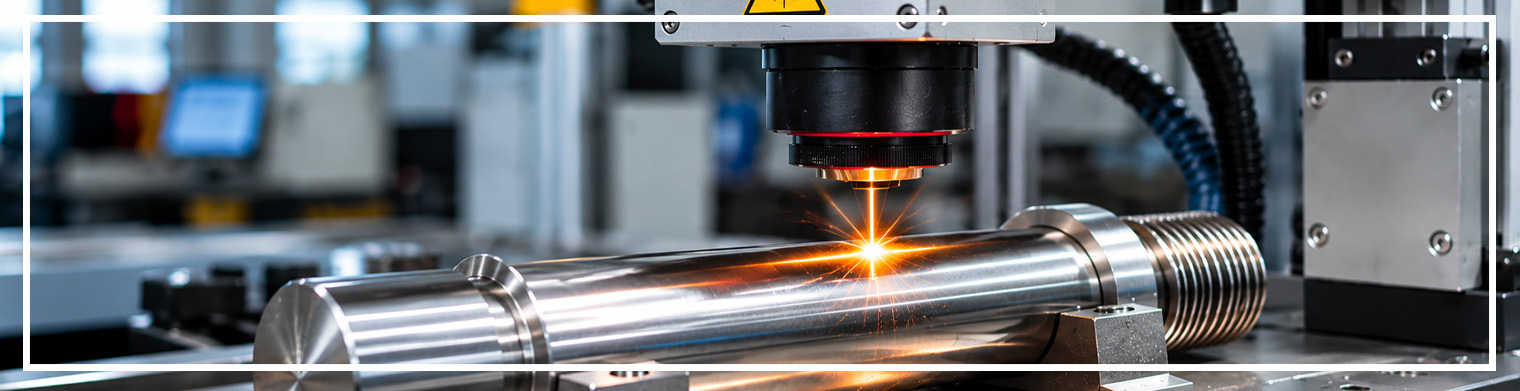
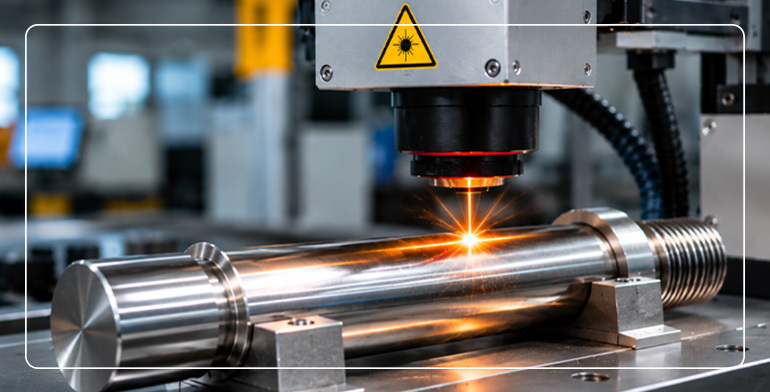
Laser printing machines are widely used in manufacturing for stamping logos, serial numbers, barcodes, and other designs on various products. This equipment is very efficient and durable and can perform high-quality and permanent stamping.
As any other machine, laser printers can experience trouble sometimes. Fortunately, most of them are rather trivial and can be easily fixed by knowing how to do it. Let us consider the most common issues and how to deal with them.
1. Faint or Inconsistent Laser Marking
One of the most common issues with industrial laser marking machines is uneven or faint marking. The engraved text, logo, barcode, or design may appear lighter in certain areas or may not have the required visibility.
Possible Causes:
- Incorrect laser power settings.
- Improper marking speed.
- Incorrect focal distance.
- Unsuitable frequency settings.
- Inconsistent material surface conditions.
How to Fix It:
- Adjust the laser power and marking speed according to the material.
- Check the focal distance and ensure the laser beam is properly focused.
- Verify frequency settings based on the required marking quality.
- Perform a test marking before starting bulk production.
- Ensure the material surface is clean and suitable for laser marking.
2. Incorrect Marking Position or Alignment
Accurate positioning is essential when marking logos, serial numbers, product codes, and other designs. Misalignment can result in incorrect product identification and material wastage.
Possible Causes:
- Improper workpiece positioning.
- Incorrect marking coordinates.
- Camera or visual positioning calibration errors.
- Movement of the product during marking.
- Incorrect fixture or jig placement.
How to Fix It:
- Recheck the positioning of the workpiece before starting.
- Calibrate the marking area and coordinate settings.
- Inspect the fixtures and clamps to ensure products remain stable.
- Recalibrate the camera system in machines equipped with CCD visual positioning.
- Run a sample marking test to verify alignment.
3. Laser Machine Not Producing Marks
Sometimes, the machine operates, but the laser does not produce visible markings on the material. This can delay production and require technical troubleshooting.
Possible Causes:
- Laser source malfunction.
- Incorrect laser power configuration.
- Loose electrical or communication connections.
- Faulty control card or laser driver.
- Emergency stop or safety interlock activation.
How to Fix It:
- Check the machine's power supply and operating status.
- Verify laser settings and ensure the correct marking parameters are selected.
- Inspect external connections and cables.
- Check the machine's error indicators and safety interlocks.
- Contact a qualified technician if the laser source or control system requires inspection.
4. Incorrect Engraving Depth
Laser engraving machines must produce the required depth and finish according to the application. If the engraving is too shallow or too deep, it can affect product appearance and quality.
Possible Causes:
- Incorrect laser power.
- Improper marking speed.
- Incorrect focal position.
- Material thickness or composition variations.
- Unsuitable laser frequency settings.
How to Fix It:
- Adjust laser power and speed based on the material and desired engraving depth.
- Verify the focal position before beginning production.
- Use suitable marking parameters for different materials.
- Conduct sample engraving tests before processing large quantities.
- Maintain consistent material positioning.
5. Overheating During Continuous Operation
Industrial laser marking machines may operate for extended periods in manufacturing environments. Excessive heat can affect machine performance and potentially damage sensitive components.
Possible Causes:
- Inadequate ventilation.
- Cooling system malfunction.
- Dust accumulation around ventilation openings.
- High ambient operating temperatures.
- Continuous operation beyond recommended conditions.
How to Fix It:
- Ensure proper ventilation around the machine.
- Check the cooling system according to the manufacturer's guidelines.
- Clean ventilation openings and accessible cooling components.
- Monitor temperature warnings and operating conditions.
- Follow the recommended duty cycle and maintenance schedule.
6. Poor Marking Quality on Different Materials
A laser marking machine may produce excellent results on one material but inconsistent results on another. This happens because different materials respond differently to laser energy.
Possible Causes:
- Incorrect laser wavelength for the material.
- Unsuitable power and frequency settings.
- Different surface coatings or finishes.
- Material composition variations.
- Incorrect marking parameters.
How to Fix It:
- Select the appropriate laser technology for the material.
- Use suitable settings for metals, plastics, and other compatible surfaces.
- Perform sample testing before bulk production.
- Adjust speed, frequency, and power according to the required finish.
- Consult the machine manufacturer for material-specific recommendations.
For example, fiber laser marking machines are commonly used for metals, while UV laser marking machines can be suitable for applications requiring finer marking on certain plastics and other compatible materials.
7. Focus and Lens Contamination Problems
The quality of laser marking depends heavily on proper beam focusing and optical cleanliness. Dust, smoke residue, and other contaminants on optical components can affect marking accuracy and consistency.
Possible Causes:
- Dust accumulation on the protective lens.
- Smoke or residue from the marking process.
- Incorrect focal distance.
- Damaged optical components.
- Improper cleaning practices.
How to Fix It:
- Inspect the accessible optical components according to the manufacturer's instructions.
- Clean lenses using approved optical cleaning materials and procedures.
- Verify the focal distance before production.
- Replace damaged optical components when required.
- Maintain proper extraction and ventilation systems.
8. Problems with Conveyor or Fly Laser Marking
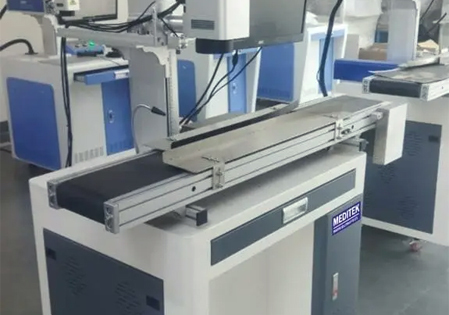
Fly laser marking machines are designed to mark products while they move along a production line. This makes synchronization and positioning especially important.
Possible Causes:
- Incorrect conveyor speed settings.
- Encoder synchronization issues.
- Improper product detection.
- Incorrect trigger configuration.
- Inconsistent product movement.
How to Fix It:
- Check conveyor speed and synchronization settings.
- Inspect encoder connections and calibration.
- Verify product detection sensors and triggering signals.
- Ensure products move consistently through the marking area.
- Test the system at different production speeds before full-scale operation.
9. Frequent Machine Errors and Unexpected Shutdowns
Unexpected machine shutdowns or repeated error messages can affect production schedules and increase maintenance requirements.
Possible Causes:
- Electrical supply fluctuations.
- Overheating or cooling problems.
- Faulty sensors.
- Control system errors.
- Safety interlock activation.
How to Fix It:
- Check the machine's error messages and diagnostic indicators.
- Verify that the electrical supply meets the manufacturer's specifications.
- Inspect cooling and ventilation systems.
- Check sensor connections and safety systems.
- Arrange professional servicing if the issue continues.
Conclusion
The laser printing machines are highly durable and dependable, but still need to be taken care of. The majority of problems that occur with them, including light markings, improper focus, overheating, incorrect position, and others, can be fixed quite easily through proper care, adjustment, and maintenance.